🐍 Python Execution
Python Execution is Ludus AI's most versatile capability. By interpreting natural language prompts and translating them into Python scripts that run directly inside Unreal Engine, it enables automation across virtually every aspect of your development workflow — from scene setup and lighting to global project settings and asset management.
Availability & Access
Python Execution is available on all paid plans and Trial, through both Agent Lite and Agent modes. It requires the Unreal Engine Plugin (version 0.11.0 or newer) and is not available via the Web App or MCP.
How It Works
Ludus automatically determines when Python Execution is the best approach for your request. You don't need to toggle or opt in — simply describe what you want in natural language, and Ludus will generate and run a Python script inside Unreal Engine on your behalf.
- Automatic activation: Ludus decides when to use Python Execution based on your prompt.
- Manual request: You can explicitly ask Ludus to use Python (e.g., "Use Python to reorganise all lights in my scene").
- Preview option: Scripts execute automatically, but you can ask Ludus to show its plan before running it (e.g., "Show me what you intend to do before executing").
- Undo: Standard Unreal Engine undo (
Ctrl+Z) applies to changes made by Python Execution.
Relationship to Other Tools
Python Execution does not replace the Blueprint Generation & Editing tool. The two work side by side:
- Blueprint tool handles node spawning and wiring inside Blueprint graphs.
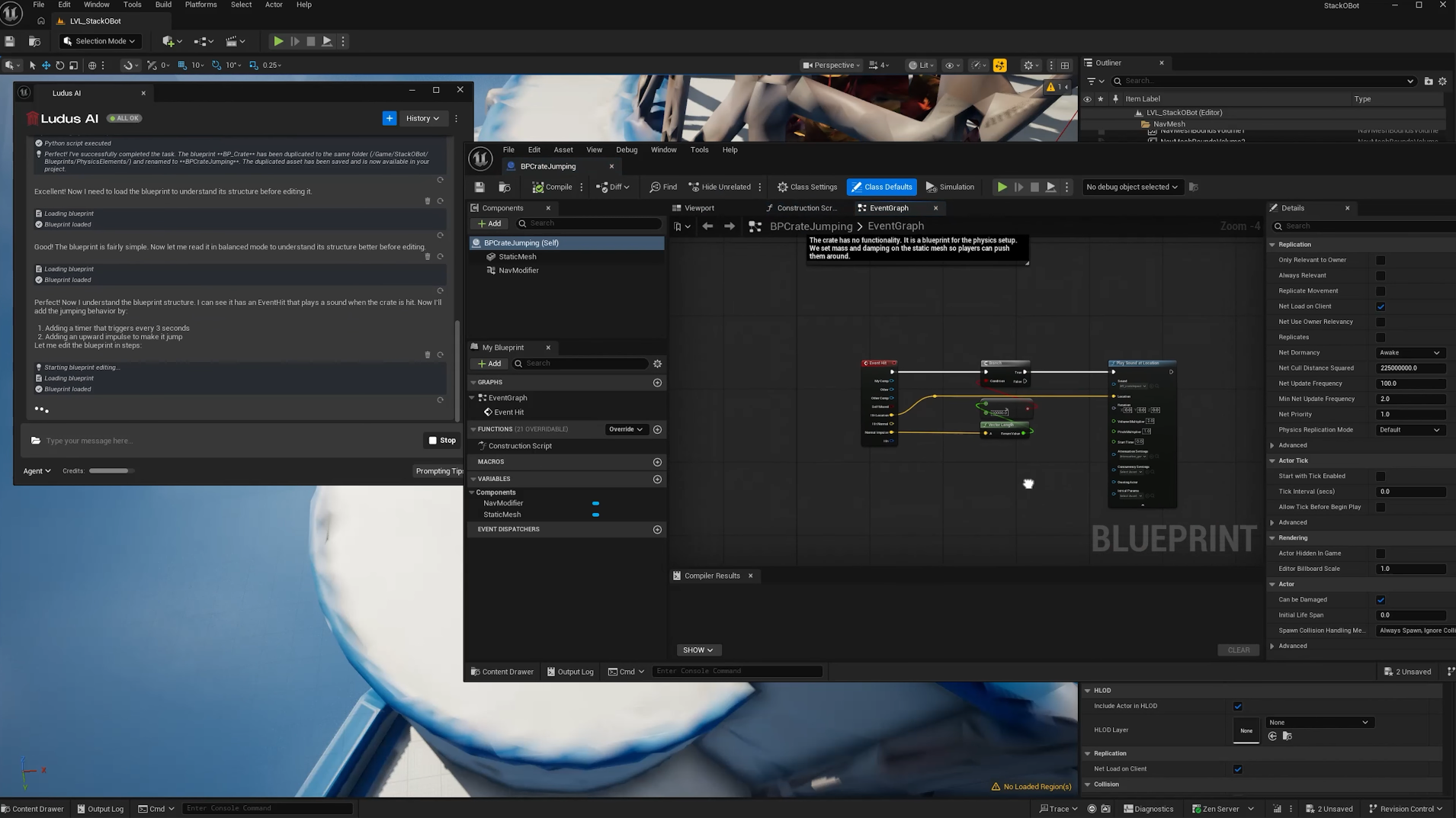
- Python Execution handles executive actions such as modifying Blueprint properties, copying Blueprints or functions, adjusting project settings, placing actors, and configuring scenes.
Ludus automatically picks the right tool for each part of your request.
Proven Capabilities
The use cases below have been tested and validated. Python Execution's range continues to expand — if you discover new workflows, let us know on Discord.
Scene Management via Text
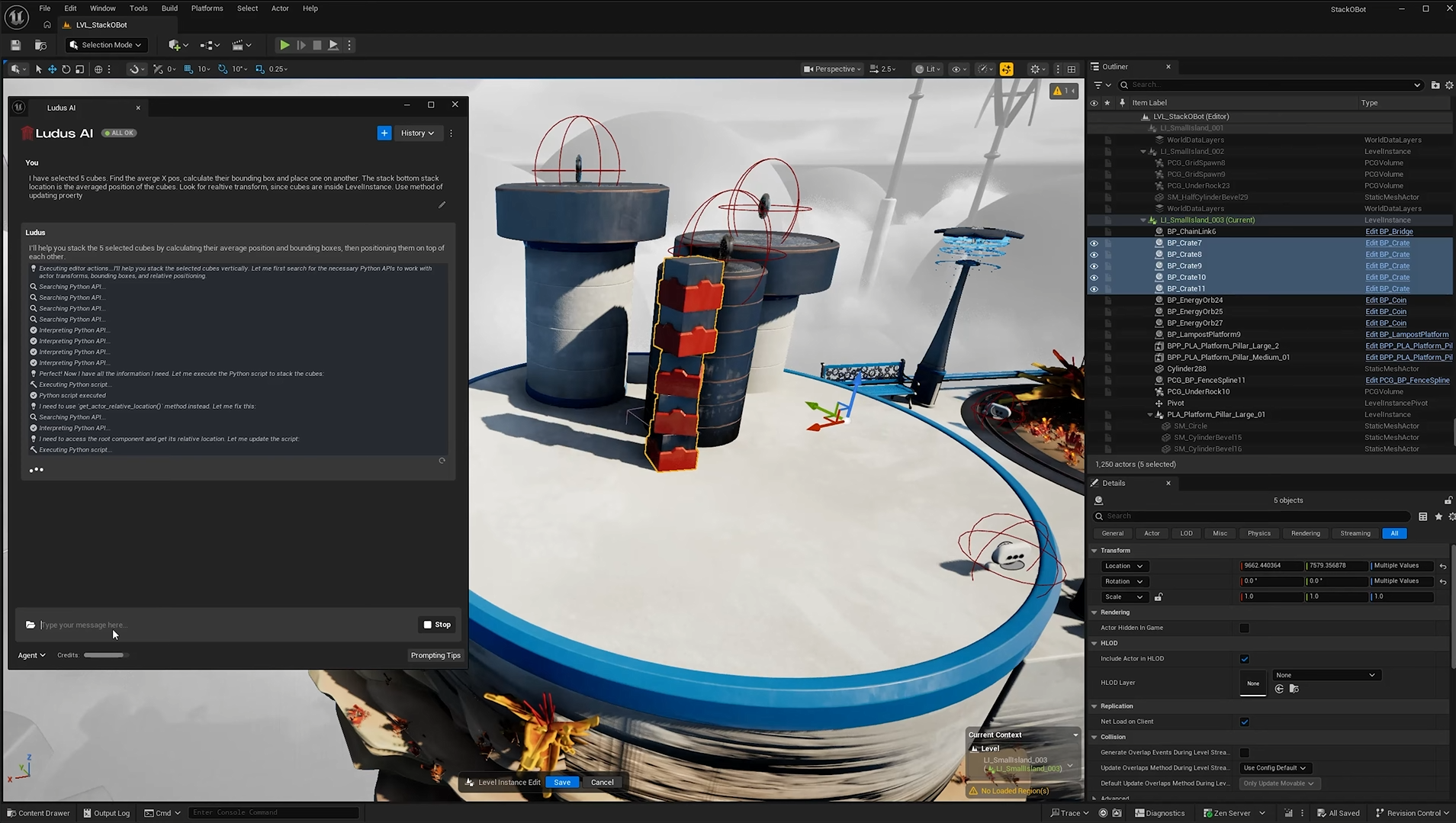
Control your Unreal Engine scene using plain text commands. Python Execution can modify existing files, create new ones, and orchestrate complex scene configurations — all without touching the editor manually. Instead of placing and configuring objects one by one, describe what you need and let Ludus handle the rest. This includes moving, configuring, and managing actors already placed in the active level.
Dynamic Moods and Lighting
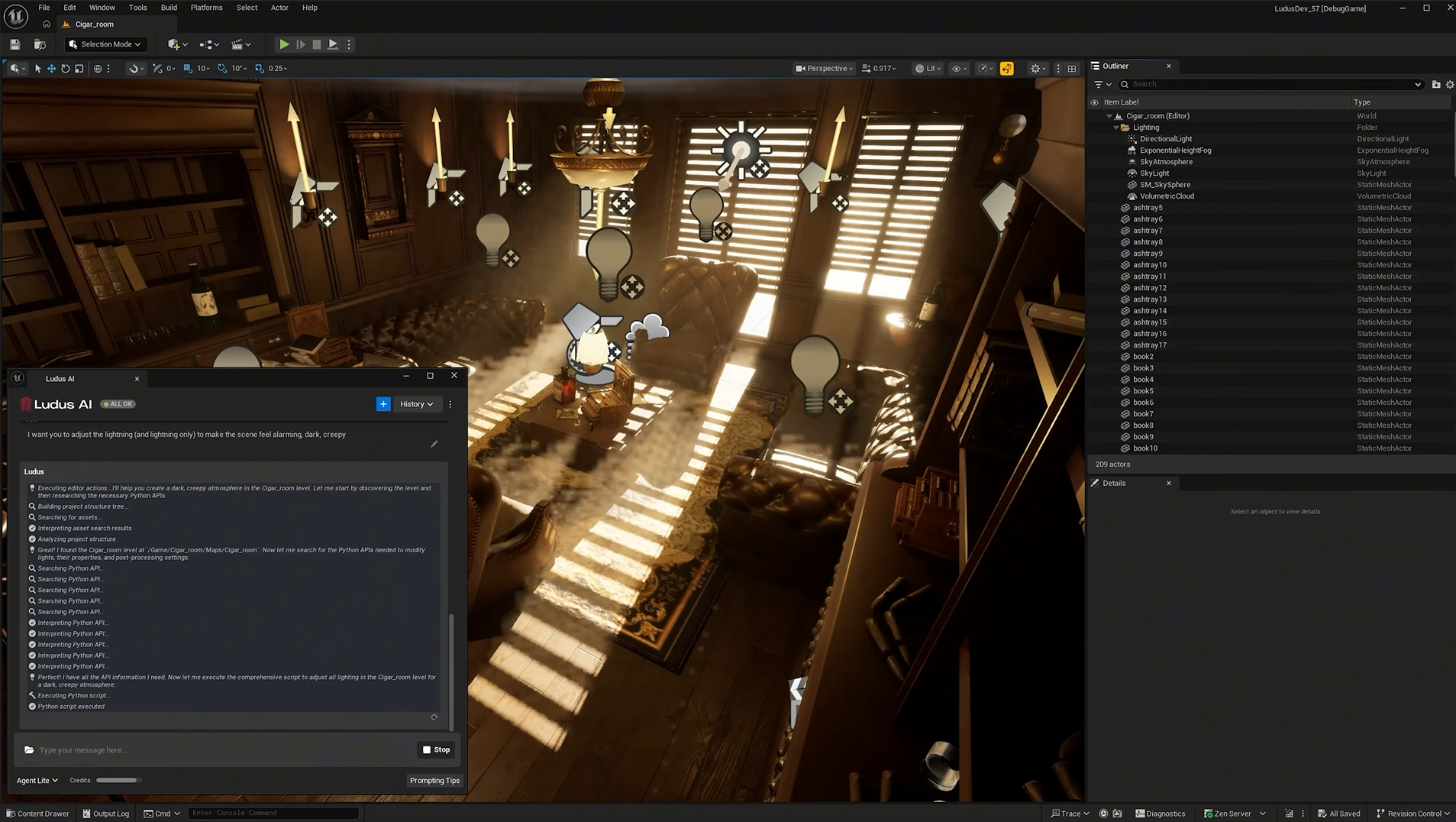
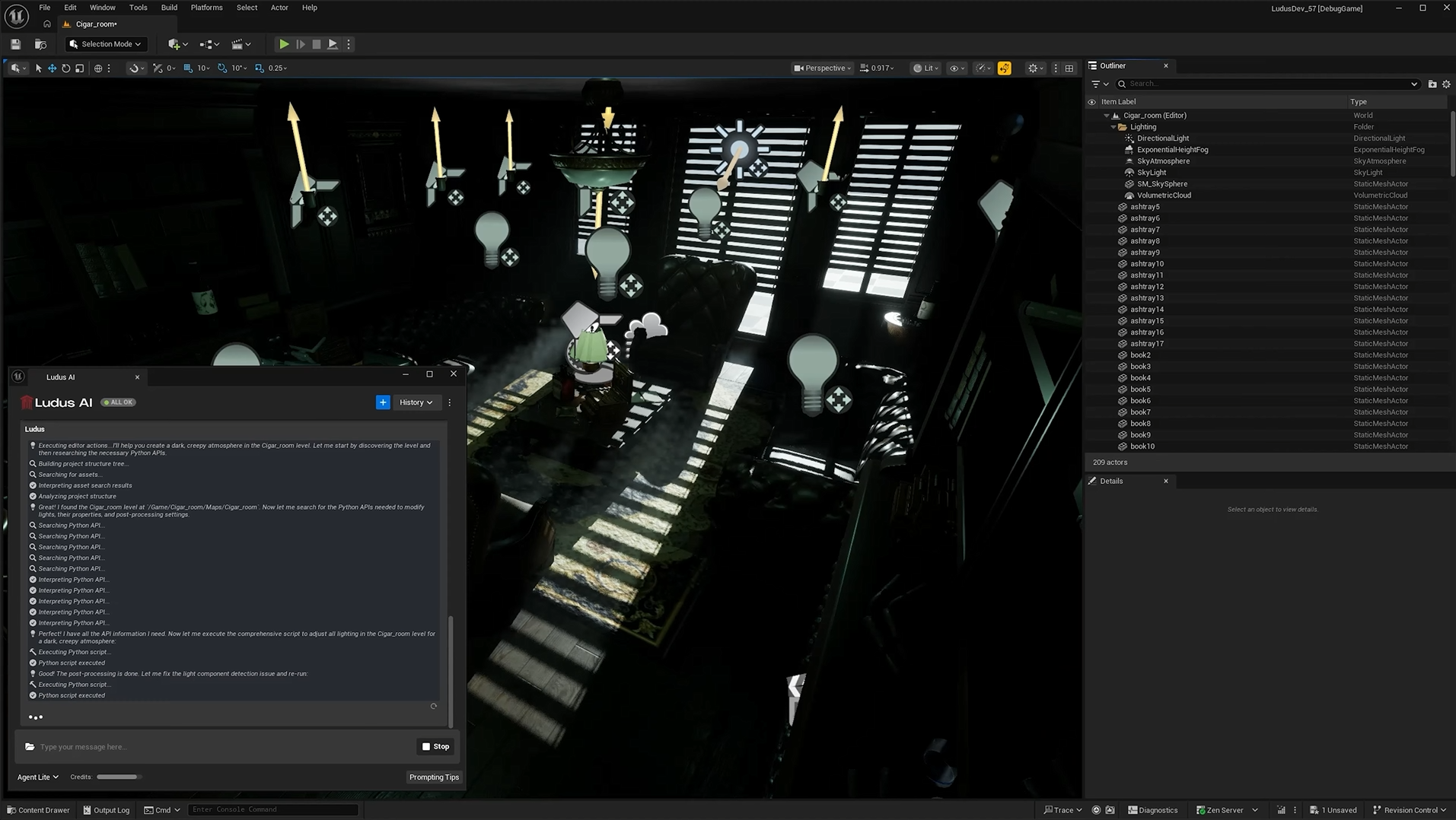
Adjust scene atmosphere and lighting through natural language. Describe the mood you want to achieve, and Python Execution will configure all relevant light actors, intensities, colours, and environmental settings to match your intent.
Intelligent Asset Placement
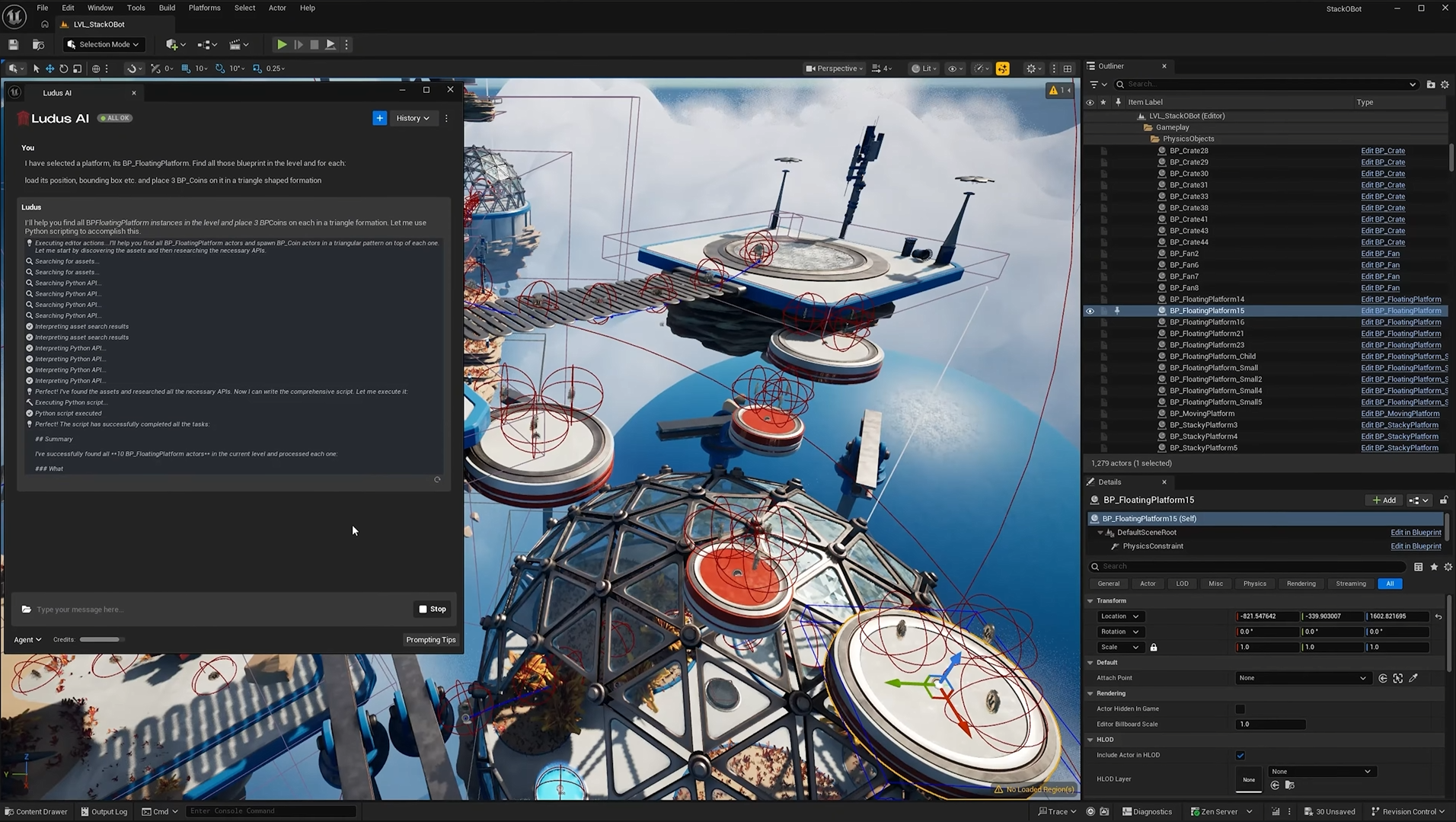
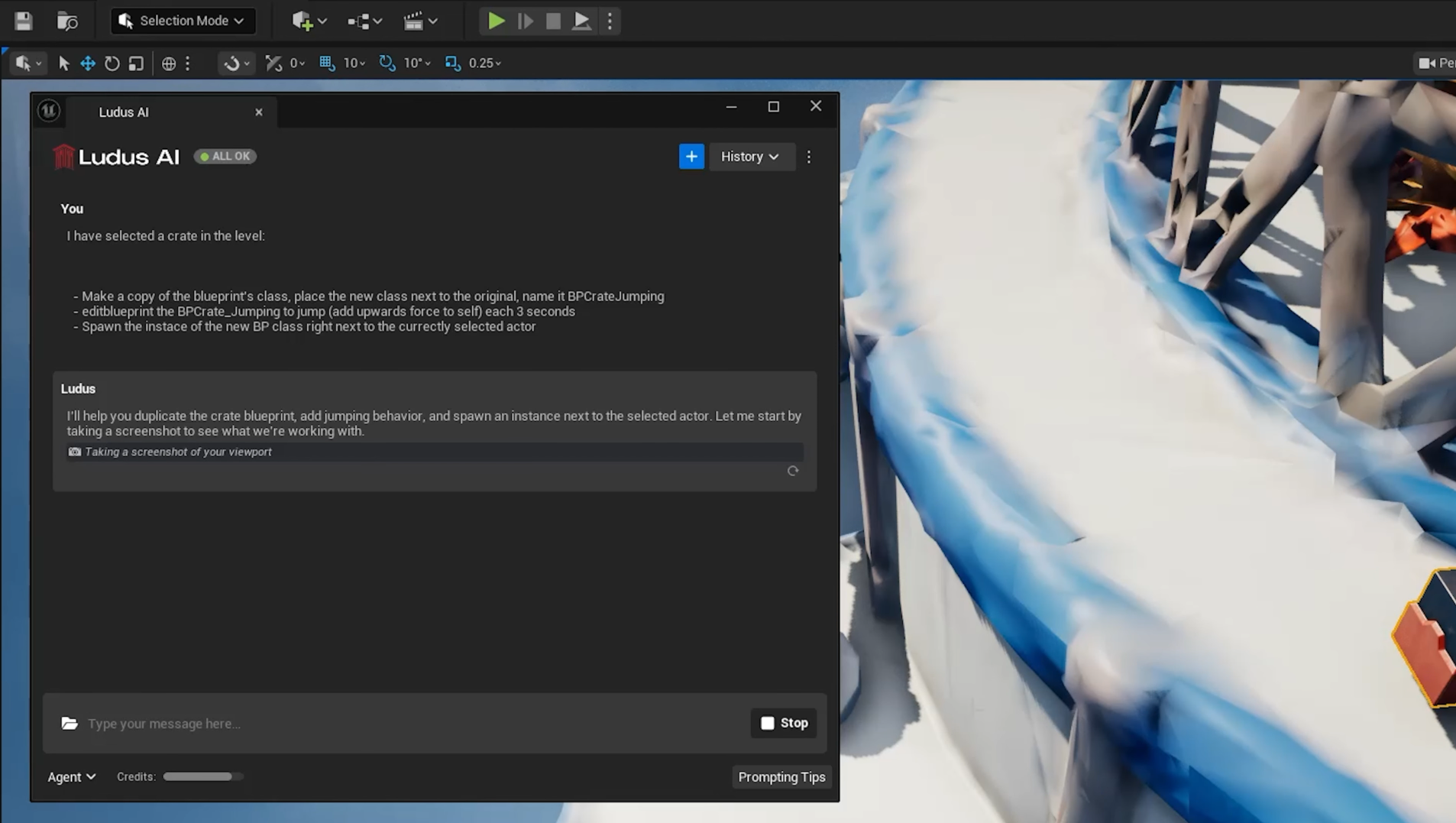
Place assets across your scene with precision and scale. A single command can position newly created or duplicated Blueprints on dozens of dynamic platforms, parent them correctly, and apply transforms — work that would otherwise take hours of manual effort.
Ludus can also use viewport screenshots to understand your current scene, allowing it to place objects in context or locate selected actors with reasonable accuracy.
Global Settings Control
Apply or audit project-wide settings such as Nanite, collision presets, LOD configurations, and more across all assets at once. Apply broad, context-aware modifications across an entire level. Python Execution ensures nothing gets missed and your project consistently meets quality standards.
Complete Authoring Workflows
Copy existing actors, duplicate Blueprint assets, create new Blueprint classes, modify Blueprint logic, and assign new behaviours — all from a single prompt. Blueprint duplication and class-level operations are fully supported.
Animation Blueprint Generation
Generate and edit Animation Blueprints, extending Ludus AI's reach into animation workflows.
Note: Asset rigging is not yet supported through Python Execution.
Credit Cost
Python Execution is cost-efficient. Simple tasks typically consume 80–500 credits. Complex tasks that involve refinement loops or processing multiple files can increase consumption, as the underlying script becomes heavier to generate.
Tips for Best Results
- Be specific: Clearly describe what you want changed and where. The more precise your prompt, the fewer refinement passes Ludus needs.
- Describe scale and context, not coordinates: Python Execution understands relative descriptions like scale and surface context (e.g., "place a lamp on the desk") better than exact dimensions or absolute positions. Favour describing where and how big over pixel-precise width, height, or coordinates.
- One task per prompt: For complex workflows, break them into focused steps rather than asking for everything at once.
- Preview first: For large-scale changes, ask Ludus to outline its plan before executing. This helps you catch misunderstandings early.
- Use Undo: If a result isn't what you expected,
Ctrl+Zworks for reverting changes made by Python Execution.
Python Execution is designed to grow with your workflow. The scenarios above represent a starting point — as your project needs evolve, so does the range of tasks Ludus AI can handle. We encourage you to experiment and share new use cases with the community on Discord.