💵 Plans & Billing
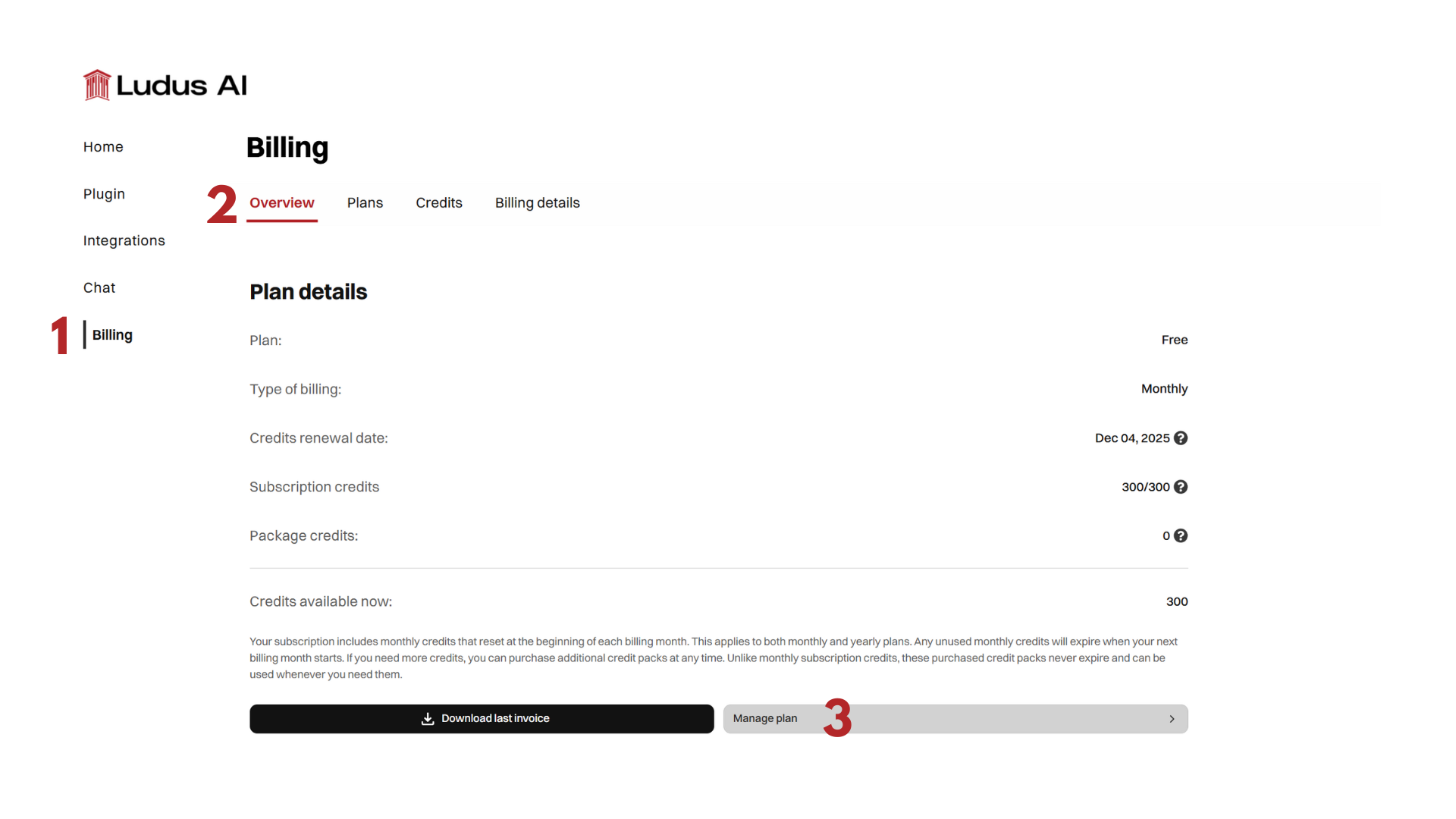
All billing is managed in the Billing section of the Ludus web app at app.ludusengine.com/billing. Every plan includes every Ludus capability. The only difference between plans is the monthly credit allowance and, on the higher tiers, team capabilities. All prices on this page exclude VAT.
Free trial
A 14-day free trial gives you 50,000 credits and Pro features. It is the way to try Ludus before choosing a plan.
Plans
Plans are priced per seat, per month. All capabilities (editing, generation, debugging, and every mode) are available on all plans; plans differ only by monthly credits and team capabilities.
| Plan | Monthly | Yearly | Monthly credits | Team capabilities |
|---|---|---|---|---|
| Pro | $25 | $240 ($20 per month) | 70,000 | No |
| Studio | $80 | $768 ($64 per month) | 250,000 | Yes |
| Ultimate | $180 | $1,728 ($144 per month) | 600,000 | Yes |
Monthly credits reset at the start of each billing month and do not roll over. This applies to both monthly and annual billing.
Team capabilities are available on Studio and Ultimate. See Teams.
For studios that need private infrastructure, data sovereignty, and unlimited credits, see the Enterprise Plan (Private Cloud).
Credit packs
If you need more credits than your monthly plan provides, you can buy one-time credit packs from the Credits tab in Billing. Purchased credits are used only after your monthly subscription credits run out, and they never expire.
| Pack | Credits | Price |
|---|---|---|
| Small | 35,000 | $17 |
| Medium | 100,000 | $40 |
| Large | 250,000 | $90 |
| Ultimate | 600,000 | $190 |
For how credits are spent and how to track them, see Credits & Costs.
Managing your subscription
From the Plans tab you can compare plans, upgrade or downgrade, switch between monthly and annual billing, and cancel.
- Upgrading: the unused portion of your current plan is credited toward the new plan.
- Downgrading: your current plan stays active until the end of the billing cycle, then the change takes effect.
- Switching billing cycle: changing from annual to monthly takes effect at the end of the billing cycle.
- Cancelling: access continues until the end of the current billing cycle. Subscriptions cannot be paused.
Payment methods and invoices
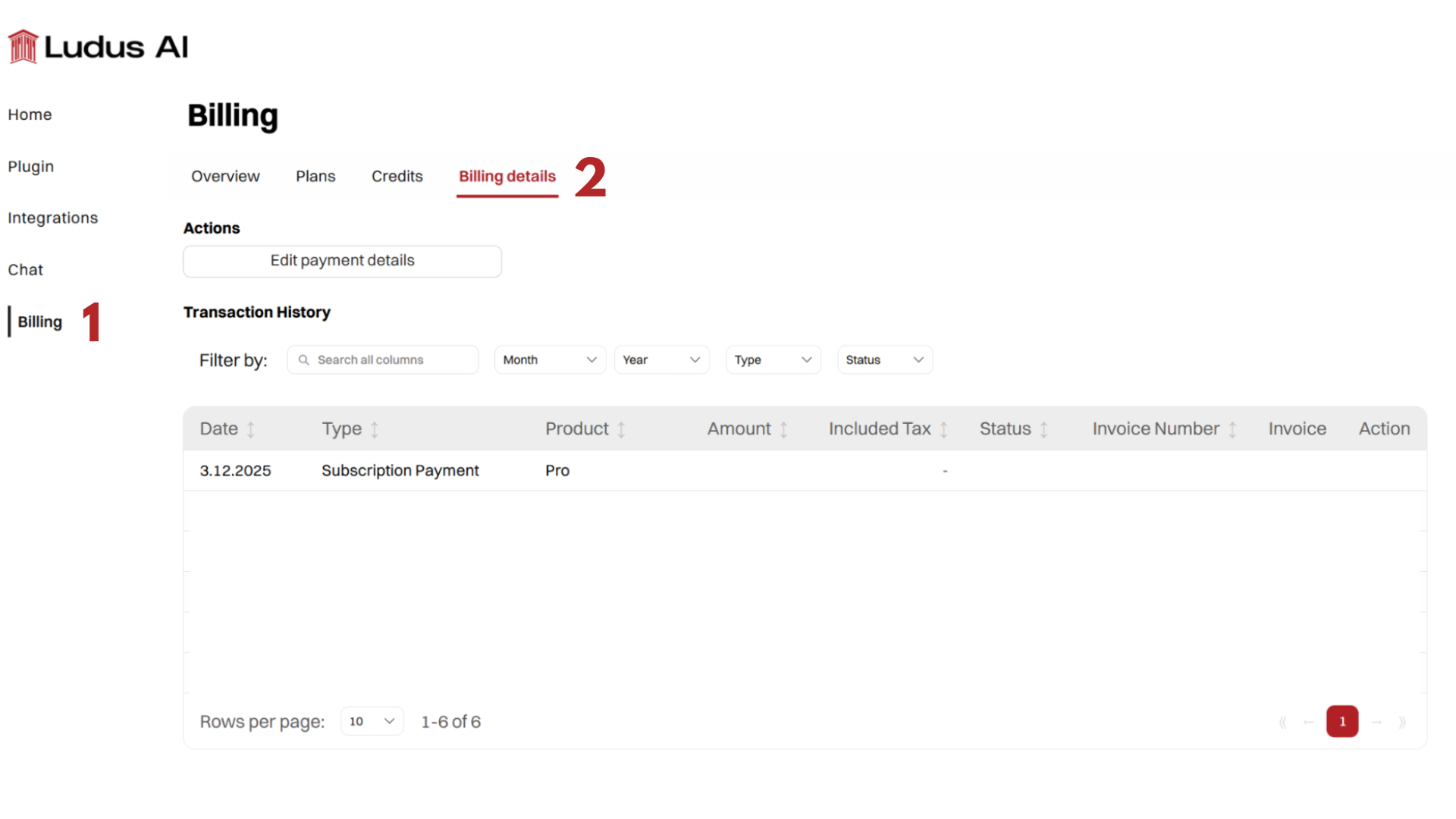
To update payment methods or billing details, open the Billing Overview tab and click Manage plan, which redirects you to the Stripe billing portal. Invoices and transaction history are available in the Billing Details tab, filterable by month, year, type, and status.
Refunds
Subscription fees and credit-pack payments are generally non-refundable. If you believe credits were consumed due to a platform bug, contact support@ludusengine.com.